
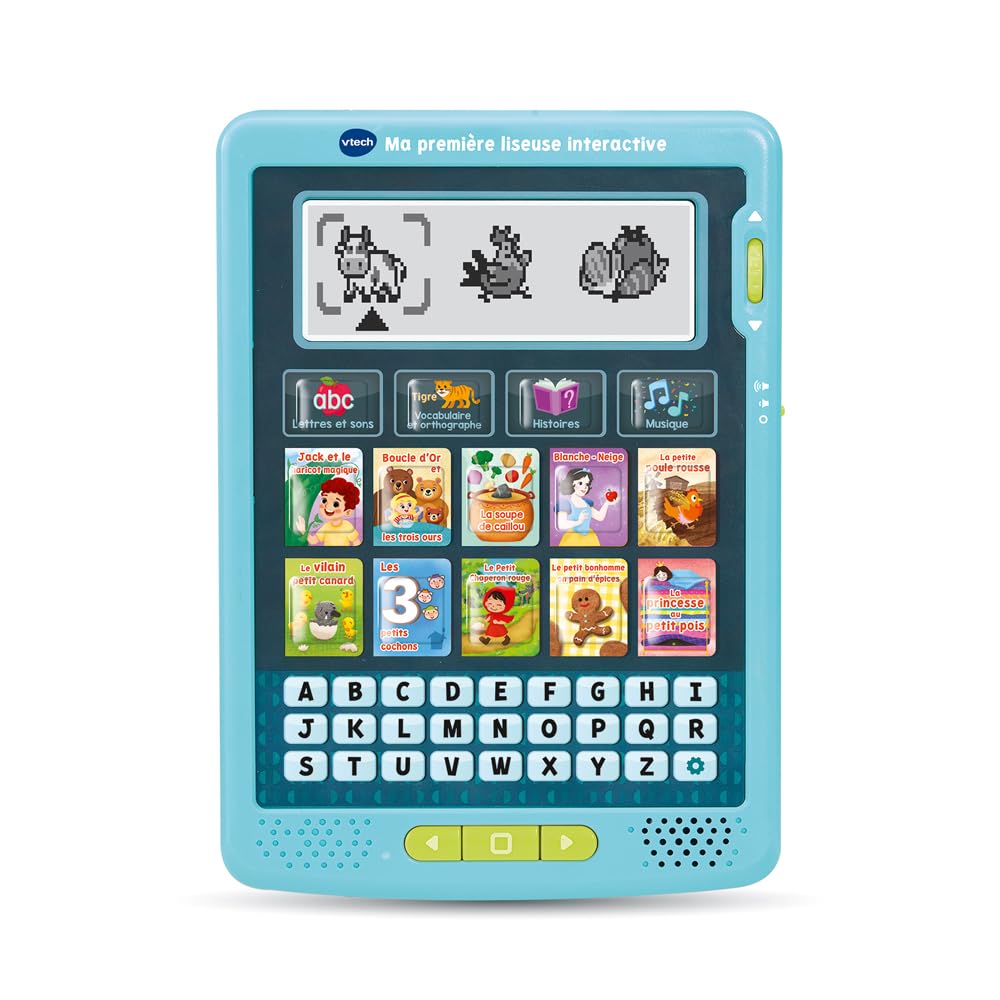
VTech My First Interactive E-Reader – E-Reader for Kids with Animated Screen and Educational Games
This product is sold by Amazon
Product description
My First Interactive E-Reader is designed to help children aged 3 and up learn to read. Fun and easy to use, this reading console for kids features audio stories to read and listen to, along with games that help children recognize the letters of the alphabet, form their first words and understand the meaning of a text. The joy of reading grows step by step! Children can get started with 3 educational games: 1/ Letters; 2/ Have Fun; 3/ Story Comprehension. They can follow up to 10 traditional stories narrated aloud and displayed on the LCD screen. Each story features animations that bring it to life. Using the easy-to-use scroll wheel, children can scroll through the text and pages of this talking book and follow each story at their own pace. Each word is highlighted as it is read, encouraging children to listen and read along. Interacting with this educational toy helps children recognize sounds, build vocabulary and learn the alphabet. They can also listen to original songs inspired by the stories. Practical and portable, this e-reader can be used anywhere—at home, in the car or on the go—helping children learn to read independently. Includes 10 audio stories to read and listen to, 5 original VTech songs and 3 educational games. Adjustable volume and LCD screen contrast. Automatic shut-off helps preserve battery life. Requires 3 included LR6-AA batteries. An ideal gift for girls and boys aged 3 and up. Instructions for using the e-reader: 1. Remove the e-reader from its packaging. 2. Insert the included batteries (3 LR6-AA batteries) into the battery compartment. 3. Turn the scroll wheel to move through the text and pages of the stories or games. 4. To listen to a story, press the “Play” button and use the scroll wheel to move through the pages. 5. To play a game, select the desired game and follow the on-screen instructions. 6. To adjust the volume, use the “+/-” button on the side of the e-reader. 7. To adjust the LCD screen contrast, use the “+” and “-” buttons on the side of the e-reader. 8. To turn off the e-reader, press and hold the “Power” button for 2 seconds. Not suitable for children under 36 months.